You’ve packed your gaming laptop, your Nintendo Switch, your phone, and all their chargers. But if you're traveling internationally, the power outlet in your hotel room will likely be a different shape and, more importantly, might supply a different voltage. Using the wrong equipment can permanently damage your expensive gear.
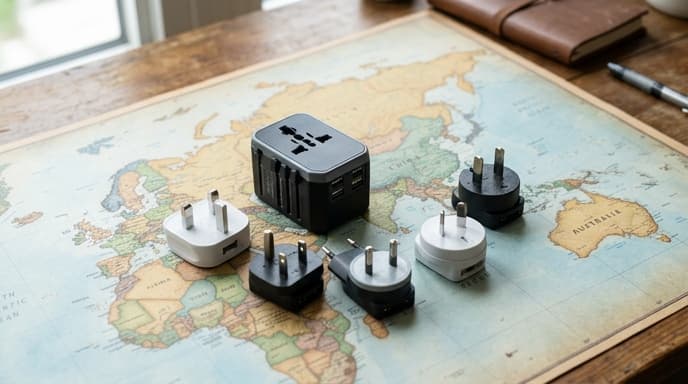
This guide will demystify the two key pieces of equipment you need to understand: power adapters and voltage converters. For most modern electronics, you'll only need one, but knowing the difference is critical.
Adapter vs. Converter: What's the Difference?
Though they sound similar, these two devices do very different jobs. Confusing them is a recipe for disaster.
- A Power Adapter is a simple device that changes the shape of your plug to fit a foreign outlet. It does not change the electricity. It's a physical bridge between your plug and the wall.
- A Voltage Converter is a heavier, more complex device that actually changes the electrical voltage coming from the outlet. For example, it might step down 220V from a European outlet to 110V for a North American device.
The critical takeaway: Plugging a 110V-only device into a 220V outlet, even with the right adapter, will likely destroy it.
How to Check Your Devices
So how do you know what you need? The good news is that most modern electronics for travel—laptops, phone chargers, camera chargers, and game consoles like the Switch—are dual-voltage. You just need to check.
Look at the fine print on your device's power brick or charger. You are looking for the 'INPUT' specification. If you see something like `INPUT: 100-240V, 50/60Hz`, you have a dual-voltage device. The range `100-240V` means it can accept voltage from anywhere in the world. If you have a dual-voltage device, you only need a plug adapter.
If your device says something like `INPUT: 110V` or `INPUT: 120V` only, it is single-voltage. These are less common today but may include items like hair dryers or electric razors. For these, you would need a voltage converter.
Common International Plug Types
Once you've confirmed your device is dual-voltage, you just need to match the plug shape. Here are some of the most common types:
- Type A/B: Used in North and Central America, and Japan. Type A has two flat pins; Type B has two flat pins and a round grounding pin.
- Type C/F: Used throughout most of Europe, South America, and Asia. Type C has two round pins. Type F is similar but includes grounding clips.
- Type G: The large, three-pronged plug used in the United Kingdom, Ireland, Hong Kong, and Singapore.
- Type I: Used in Australia, New Zealand, China, and Argentina. It has two flat pins in a V-shape, sometimes with a grounding pin.
Choosing a Universal Adapter
Instead of buying a different adapter for every country, most travelers opt for a universal adapter. This is a single device with sliders and switches that can be configured to fit most outlets worldwide. When buying one, look for these features:
- USB Ports: Many modern adapters include built-in USB-A and USB-C ports, so you can charge your phone and other devices directly without their power bricks.
- Safety Features: Look for features like built-in surge protection and safety shutters to prevent accidental shocks.
- Compact Size: A good travel adapter should be lightweight and easy to pack.
Frequently Asked Questions
Will a cheap adapter from the airport work?
Usually, yes, for the plug shape. However, they are often low quality and lack safety features or the convenience of USB ports. Investing in a good universal adapter from a reputable brand is a better long-term choice.
Can I plug a power strip into a travel adapter?
It's generally not recommended. The wiring in a travel adapter isn't designed to handle the high load of multiple devices from a power strip. If you need to charge multiple things, look for a universal adapter with multiple USB ports.
What about my gaming laptop's powerful charger?
Gaming laptop power bricks are almost always dual-voltage, but they draw a lot of power. Ensure your universal adapter is rated to handle the wattage your laptop requires. This information is usually printed on both the adapter and the power brick.
Key Takeaways
- An adapter changes the plug shape; a converter changes the voltage.
- Most modern electronics (laptops, phones) are dual-voltage and only need an adapter.
- Check the 'INPUT' label on your charger. If it says `100-240V`, it's dual-voltage.
- A universal adapter is the most convenient option for travelers visiting multiple countries.
- Never plug a single-voltage device into a high-voltage outlet without a converter.
Related Reading
- How to Use a VPN for Travel and Gaming Abroad
- How to Download and Use Offline Maps for Your Next Trip
- How to Set Up a Second Monitor for Your Gaming PC