When you travel, your devices connect to unfamiliar networks in cafes, hotels, and airports. This convenience comes with a risk: public Wi-Fi is often unsecure, leaving your personal data, passwords, and financial information vulnerable. A Virtual Private Network, or VPN, is a simple tool that solves this problem.
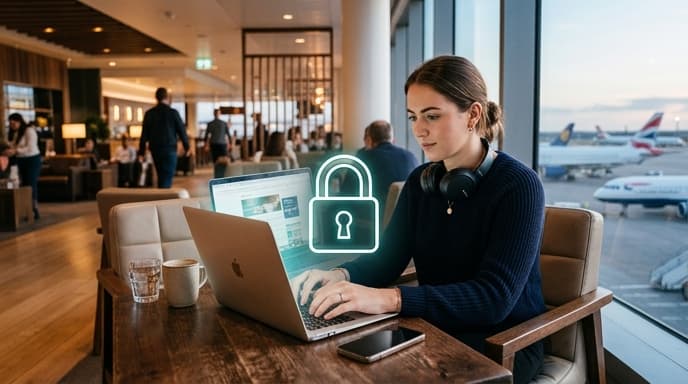
A VPN creates a secure, encrypted 'tunnel' for your internet traffic. This not only protects you from bad actors on public networks but also allows you to virtually place your device in another country. For gamers and streamers, this means you can often access your home game servers or streaming library, even when you're thousands of miles away.
Why You Need a VPN When Traveling
Using a VPN abroad isn't just for cybersecurity experts. It offers practical benefits for any traveler with a smartphone or laptop.
- Secure Public Wi-Fi: Encryption prevents anyone on the same network from snooping on your activity. This is crucial when checking bank accounts or entering passwords.
- Access Home Content: Many streaming services and some game launchers have region-specific content. A VPN lets you connect to a server in your home country, making it appear as though you never left.
- Bypass Local Censorship: In some countries, access to certain websites or social media platforms is restricted. A VPN can help you bypass these blocks.
- Potentially Find Better Prices: Some online retailers and booking sites show different prices based on your location. A VPN can sometimes help you find better deals by changing your virtual location.
How to Set Up a VPN for Your Trip
Setting up a VPN is straightforward. The most important step is to do it before you leave, as some countries may block access to VPN provider websites.
Step 1: Choose a VPN Provider
There are many reputable VPN services available. Instead of recommending one, here's what to look for: a clear no-logs policy (they don't track your activity), servers in the countries you need, and good performance speeds. Read reviews from trusted tech sites.
Step 2: Sign Up and Install the App
Once you've chosen a provider, sign up for a plan on their website. Then, download their official app from your device's app store (for iOS or Android) or directly from their site (for Windows or macOS). Install the app on every device you plan to bring, including your phone, laptop, and tablet.
Step 3: Log In and Connect
Open the app and log in with the credentials you created. The interface will typically show a large 'Connect' button and a list of available server locations. To simply secure your connection, you can use the 'quick connect' feature. To access content from home, select a server located in your home country.
Step 4: Verify Your Connection
Once connected, the app will confirm your status. You can double-check by opening a web browser and searching "what is my IP address." The location shown should match the server location you selected in the VPN app.
Frequently Asked Questions
Is using a VPN legal?
In most countries, using a VPN is perfectly legal. However, a few countries have strict regulations or have banned their use. It's important to research the laws of your destination before you travel. Using a VPN to perform illegal activities is, of course, still illegal.
Will a VPN slow down my internet connection?
Yes, some speed reduction is normal because your data is being encrypted and routed through an extra server. However, with a premium VPN service, the slowdown is often minimal and may not be noticeable for browsing, streaming, or gaming.
Can I use a free VPN?
While tempting, free VPNs often come with risks. They may have slow speeds, data caps, fewer server locations, and some have been known to sell user data or contain malware. For security and reliability, a paid service is generally recommended.
Key Takeaways
- A VPN encrypts your internet connection, protecting your data on unsecure public Wi-Fi networks.
- It allows you to change your virtual location to access home-country content and game servers.
- Choose a reputable provider with a no-logs policy and install the app before you travel.
- Connecting is usually a one-click process within the provider's app.
- Be aware of the local laws regarding VPN use at your destination.
Related Reading
- How to Download and Use Offline Maps for Your Next Trip
- The Traveler's Guide to Power Adapters for Laptops and Consoles
- How to Audit Your Streaming Subscriptions and Save Money