When you dive into the settings for a new gaming mouse, you're immediately hit with terms like DPI and Polling Rate. They sound technical, but they control two very simple things: how fast your cursor moves and how smoothly it moves. Getting these settings right is fundamental to building consistent aim and muscle memory in games.
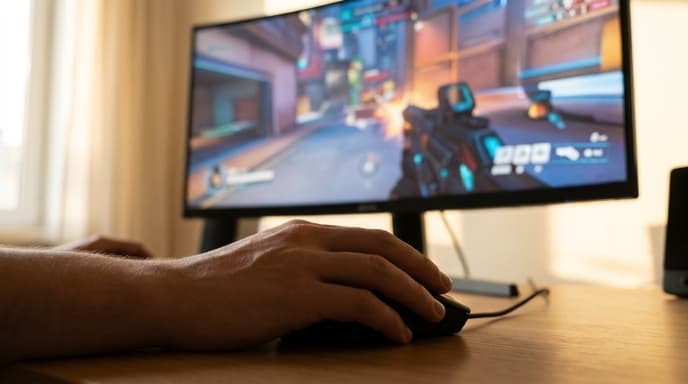
This guide breaks down what each term means in simple language and helps you figure out where to start with your own settings.
Understanding DPI (Dots Per Inch)
DPI stands for Dots Per Inch. It's a measure of your mouse's hardware sensitivity. A higher DPI means your cursor will move further on the screen for every inch you move the mouse on your desk.
- Low DPI (e.g., 400-800): You have to move your mouse a lot to make the cursor cross the screen. This allows for very small, precise adjustments, which is why many professional FPS players prefer it. It requires a large mousepad.
- High DPI (e.g., 1600+): You only need to move your mouse a little to make the cursor fly across the screen. This is useful for fast-paced games that require quick turns or for users with limited desk space.
Think of it like this: DPI is your mouse's base speed. You then fine-tune that speed with the in-game sensitivity slider. The combination of your mouse DPI and your in-game sensitivity is often called your 'eDPI' (effective DPI), which is the number that truly matters for your aim.
Understanding Polling Rate (Hz)
Polling Rate is a measure of how many times per second your mouse reports its position to the computer. It's measured in Hertz (Hz).
- 125 Hz: Reports its position 125 times per second (every 8 milliseconds).
- 500 Hz: Reports its position 500 times per second (every 2 milliseconds).
- 1000 Hz: Reports its position 1000 times per second (every 1 millisecond).
A higher polling rate results in smoother, more responsive cursor movement because there's less delay between your physical movement and the on-screen reaction. For gaming, you should almost always set this to the highest value your mouse supports, which is typically 1000 Hz on modern gaming mice. A lower polling rate can feel laggy or choppy in comparison. Unlike DPI, there is very little reason to use a lower polling rate unless you have a very old computer that has trouble with the higher report rate.
How to Find the Right Settings for You
There is no single 'best' DPI. It's entirely down to personal preference, the games you play, and your desk space. Here's a simple way to find a good starting point.
- Set your Polling Rate: Open your mouse's software (e.g., Logitech G Hub, Razer Synapse) and set the polling rate to 1000 Hz. You can usually forget about this setting afterward.
- Choose a starting DPI: A setting between 800 and 1600 DPI is a common and balanced starting point. Set your mouse to one of these values.
- Adjust In-Game Sensitivity: Launch your favorite game. Now, instead of changing the mouse DPI, adjust the in-game sensitivity slider. The goal is to find a sensitivity where you can comfortably do a 180-degree turn in the game by moving your mouse from the center of your mousepad to one edge.
- Fine-tune: Play with this setting for a while. If you constantly find yourself overshooting targets, lower the in-game sensitivity. If you feel like you're dragging your mouse across the whole desk to turn, raise it slightly.
The key is consistency. Once you find a setting that feels comfortable, stick with it across all your games to build muscle memory.
Frequently Asked Questions
Is a higher DPI always better?
No. Extremely high DPI values (like 10,000+) are mostly a marketing gimmick. They are too fast to be controllable for most gaming situations. Most pro gamers use a DPI between 400 and 1600.
Where do I change these settings?
You need to install the specific software for your mouse brand. For example, Logitech uses G Hub, Razer uses Synapse, and SteelSeries uses GG. You can download this from the manufacturer's website.
Will a higher polling rate use more CPU?
Technically, yes, but the difference is negligible on any modern computer. The benefit of a smoother experience from 1000 Hz far outweighs the tiny increase in CPU usage.
Key Takeaways
- DPI is your mouse's hardware sensitivity; higher DPI means faster cursor movement.
- Polling Rate is how often your mouse reports its position; 1000 Hz is the standard for responsive gaming.
- There is no 'best' DPI; most gamers find a comfortable spot between 400 and 1600 DPI.
- Find your ideal aim by setting a base DPI, then adjusting your in-game sensitivity slider.
- Consistency is key. Use the same settings across games to build muscle memory.
Related Reading
- How to Safely Update Your Graphics Card Drivers (NVIDIA & AMD)
- A Safe Guide to Cleaning Your Mechanical Keyboard
- How to Calibrate Your Monitor for Accurate Colors in Games