Watching the big game on your TV is the main event, but so much of the modern sports experience happens off-screen. Your fantasy matchup, conversations on social media, and live betting odds all compete for your attention. Instead of constantly looking down at your phone, you can create a dedicated second screen with a tablet.
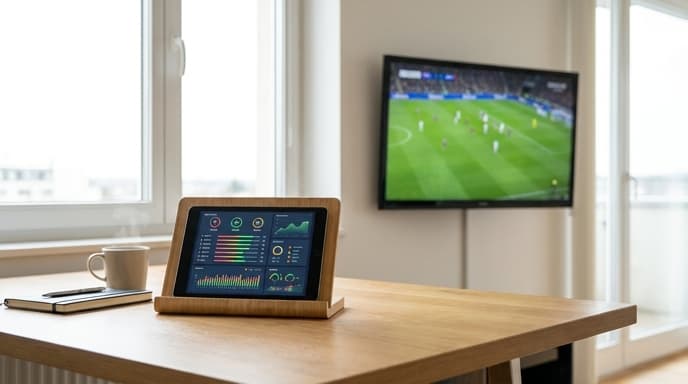
This setup puts all that extra information in one place, letting you absorb it at a glance without missing a crucial play. It's easy to set up and completely changes how you watch live sports.
Choosing the Right Device and Stand
While you can use a phone, a tablet with a screen size of 8 inches or more is ideal for a second screen. The larger display allows you to see more information clearly from your seat. You don't need the latest model; an older, budget-friendly tablet will work perfectly for displaying stats and social media feeds.
The most important accessory is a good stand. Look for an adjustable stand that can hold your tablet securely at a comfortable viewing angle next to your TV. This prevents you from having to hold it or crane your neck to see the screen.
What to Display on Your Second Screen
Your second screen is your personal sports dashboard. The beauty of it is that you can customize it to show exactly what you care about most. Mix and match apps and websites to create your perfect layout.
Here are some popular ideas for your second screen:
- Fantasy Sports Tracker: Keep your league's app open to see live scoring updates for your matchup and across the league.
- Live Stats and Play-by-Play: Use an app like ESPN or the official league app to follow detailed box scores and individual player statistics in real time.
- Social Media Feeds: Follow team reporters, analysts, and fan conversations on a platform like X (formerly Twitter) for instant reactions and analysis.
- Sports Betting Odds: If you're interested, you can keep an eye on live odds as they change throughout the game.
- Another Game: Use a streaming app to keep an eye on a second game, especially during busy sports days like a college football Saturday or the opening weekend of March Madness.
Putting It All Together
Once you have your device and stand, arranging your screen is simple. Many modern tablets support split-screen multitasking. This allows you to have two apps open side-by-side. For example, you could have your fantasy app on one half of the screen and a social media feed on the other.
Position the tablet somewhere in your line of sight, but not so close that it distracts from the main TV. The goal is to have the information available at a quick glance, not to split your attention entirely. With the right setup, you'll wonder how you ever watched sports without it.
Frequently Asked Questions
Do I need a special app for a second screen?
No, you don't need a special 'second screen' app. You simply use the regular apps for fantasy sports, news, or social media on your tablet while watching the game on your main television.
Can I do this with my laptop?
Absolutely. A laptop works great as a second screen and offers even more screen real estate. A tablet is often preferred for its smaller footprint and simpler, touch-based interface in a casual living room setting.
Does this use a lot of battery?
Yes, having the screen on and running apps for several hours will drain the battery. It's a good idea to keep your tablet plugged into a charger during the game so you don't have to worry about it running out of power.
Key Takeaways
- A tablet with a stand is an ideal second screen for watching live sports.
- Use your second screen to display fantasy scores, live stats, social media, or even another game.
- Modern tablets support split-screen mode, allowing you to view two apps at once.
- Position the tablet for easy glancing so it enhances, rather than distracts from, the main game.
- Keep your device plugged in, as running apps for a long period will consume battery life.
Related Reading
- How to Audit Your Streaming Subscriptions and Save Money
- The Best Apps for Your Fantasy Football Draft Preparation
- Running Out of Space? How to Manage Storage on Your Streaming Device