Building a new gaming PC is exciting, but it can also be incredibly expensive. The prices of components like graphics cards and processors fluctuate wildly due to supply, demand, and new product launches. A PC part price tracker is an essential tool that helps you navigate this volatile market and buy your components at the best possible time.
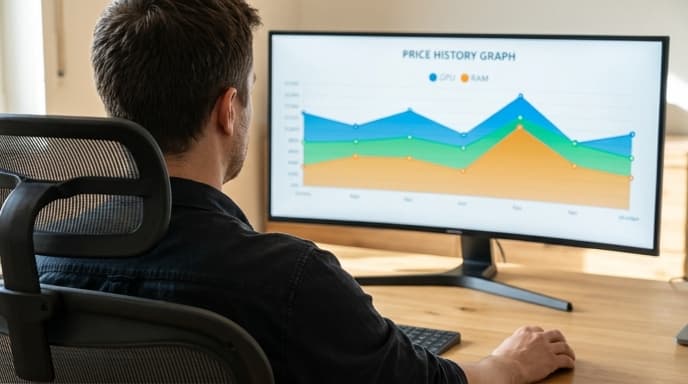
Using a price tracker is the difference between building your dream rig on budget and overpaying by hundreds of dollars. It's a simple strategy that rewards patience with significant savings.
What Is a PC Part Price Tracker?
A PC part price tracker is a website or service that monitors the prices of computer components across multiple online retailers. Instead of you having to manually check several websites every day, the tracker does the work for you. Most importantly, it keeps a record of past prices, allowing you to see if a current 'sale' is actually a good deal.
Key Features and How to Use Them
While different trackers have different layouts, they all share a few core features that are vital for saving money.
- Price History Charts: This is the most powerful feature. When you look up a specific GPU or CPU, the tracker will show you a graph of its price over the last few weeks, months, or even years. This context is crucial. A $50 discount on a graphics card might seem good, but the price history chart could reveal it was $100 cheaper just a month ago.
- Price Drop Alerts: Found the perfect component but the price is too high? Set a price alert. You can enter your desired price, and the service will automatically send you an email notification the moment any major retailer drops the price to or below your target. This lets you act fast when a flash sale happens.
- Build Lists and Compatibility Checkers: Many trackers are integrated into full PC building platforms. You can create a list of all the components for your build, and the site will not only track the total cost but also flag potential compatibility issues between parts, like a CPU not fitting a motherboard socket.
A Strategy for Timing Your Purchases
You don't have to buy all your parts at once. In fact, you can often save more by purchasing them over a period of a few weeks or months as individual deals pop up.
- Finalize Your Build List: Decide on the exact models of the CPU, GPU, motherboard, RAM, and other key components you want.
- Add Everything to a Tracker: Create a build list on a price tracking site and add all your chosen parts. This gives you a single dashboard to monitor everything.
- Set 'Ambitious' Price Alerts: For each component, look at its price history. Set a price alert for a price that is near its historical low. Be ambitious but realistic.
- Buy as Alerts Trigger: When you get an email that your chosen SSD or RAM kit has hit its target price, buy it. It's often best to purchase the core components like the CPU and motherboard around the same time to ensure you can test them within their return windows.
- Be Patient with the GPU: The graphics card is usually the most expensive and volatile part. Be prepared to wait the longest for a good deal on your desired model.
Frequently Asked Questions
When is the best time of year to buy PC parts?
Major sales events like Black Friday and Cyber Monday often have good deals, but flash sales can happen at any time. The best time to buy a specific part is when the price tracker tells you it's at a historical low, regardless of the season.
Should I buy used components?
Buying used can save you a lot of money, especially on GPUs. However, it comes with risks, such as a lack of warranty. If you buy used, do so from a reputable marketplace with buyer protection, and be sure to test the component thoroughly as soon as you receive it.
How do I know if a price is a good deal?
The price history chart is your best guide. A good deal is any price that is at or near the lowest point on the graph for the last six months to a year. A 'sale' that is still higher than the average price over the last few months is not a good deal.
Key Takeaways
- Use a PC part price tracker to monitor prices across multiple retailers automatically.
- Always check the price history chart to see if a current price is truly a good deal.
- Set price drop alerts for all the components in your build list to get notified of sales.
- Be patient and buy parts individually as good deals appear, rather than buying everything at once.
- The graphics card is often the most expensive part; be prepared to wait for the right price.
Related Reading
- Cable Management Tips for a Cleaner, Cooler Gaming PC Setup
- How to Check Your PC's CPU and GPU Temperatures
- Is Buying Refurbished Tech for Gaming a Smart Move?