For many PC gamers, Steam is not just a store; it's their entire library. While Steam is a fantastic platform, limiting yourself to it means you're missing out on exclusive deals, regular free games, and different approaches to game ownership offered by its competitors.
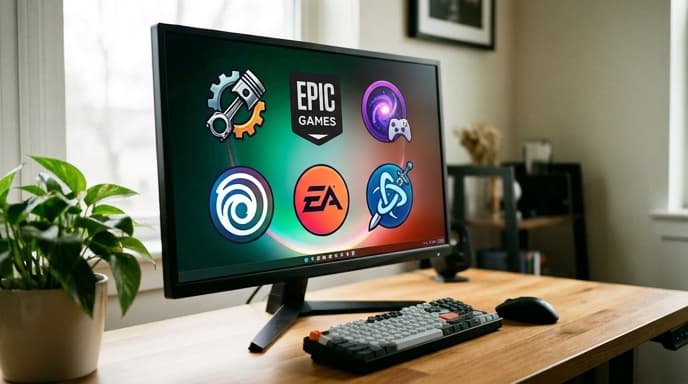
Expanding your horizons to a few other launchers can save you a lot of money and give you more control over your games. Here’s a look at the major players and what they offer a savvy shopper.
The Epic Games Store: The Home of Free Games
The biggest reason to install the Epic Games Store (EGS) is its legendary weekly free game giveaway. Every single week, Epic gives away at least one, and often two, full PC games for free. You simply 'purchase' it for $0.00, and it's yours to keep in your library forever.
- Key Feature: Weekly free games. Over the years, this has included massive AAA titles and beloved indies.
- Sales Events: EGS is also known for its aggressive sales, often accompanied by a reusable coupon that gives you an additional discount on top of sale prices.
- The Catch: Its feature set (like user profiles and forums) is less developed than Steam's, though it is constantly improving.
GOG (Good Old Games): True Game Ownership
GOG, owned by the creators of The Witcher series, has a core philosophy that sets it apart: all games sold are DRM-free. DRM (Digital Rights Management) is technology that restricts how you can use the games you buy. DRM-free means you can download a backup installer for your game and play it offline, without needing a launcher, forever.
- Key Feature: 100% DRM-free games. You truly own what you buy.
- GOG Galaxy: Their optional launcher, GOG Galaxy, is a powerful tool that can connect to all your other accounts (Steam, Epic, Xbox, etc.) and let you see all your games in one unified library.
- Focus: As the name implies, GOG has an incredible catalog of classic PC games updated to run on modern systems, alongside new releases.
Humble Bundle: Deals for Charity
Humble Bundle started with the idea of selling bundles of games where you could pay what you want and support charity. It has since grown into a full storefront, but its core value remains.
- Key Feature: Curated game bundles. These are limited-time collections of games offered at a massive discount.
- Humble Choice: Their monthly subscription service gives you a selection of games to keep forever each month.
- Charity Support: A portion of most purchases on the Humble Store goes to charity, and you can often choose how your money is split between the publisher, charity, and Humble.
Publisher-Specific Launchers
Some major publishers require you to use their own launchers, even if you buy the game on Steam. This includes the EA App (for games like Battlefield and The Sims) and Ubisoft Connect (for Assassin's Creed and Far Cry). While you may need them for certain games, they also have their own sales and subscription services (like EA Play) that can offer good value.
FAQ
Is it a hassle to manage so many launchers?
It can be a minor inconvenience. However, using a universal launcher like GOG Galaxy can help by putting all your games in one place, regardless of where you bought them.
Do I need to have all these launchers open at once?
No. You only need to open the specific launcher required to play the game you want to launch. Most can be set to not start up with your computer to save resources.
Are the free games from Epic really free?
Yes. There are no strings attached. Once you claim a free game, it is permanently added to your Epic Games library, just as if you had paid full price for it.
Key Takeaways
- Install the Epic Games Store and check it weekly to build a large library of free, high-quality games.
- Buy from GOG if you value DRM-free ownership and want to keep offline backups of your games.
- Watch Humble Bundle for limited-time game bundles that offer incredible value and support charity.
- Use a universal library manager like GOG Galaxy to see all your games from different launchers in one convenient place.
Related Reading
- A Smart Shopper's Guide to Digital Game Bundles
- Digital vs. Physical Games: Which Is Better for Your Budget?
- How to Manage Free Trials and Avoid Unwanted Subscription Fees