Your gaming backlog is already long, so why pay full price for a new title you won't play for months? One of the most powerful but underused tools for saving money is built right into your favorite game stores: the wishlist.
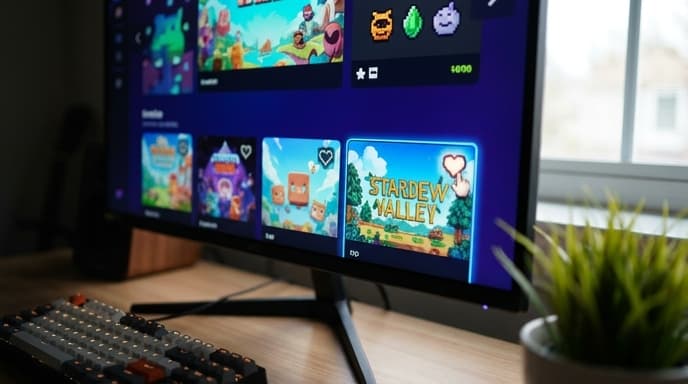
Using digital game wishlists is the simplest way to track prices and get automatic alerts when a game you're interested in goes on sale. Instead of manually checking stores, you can let the notifications come to you, ensuring you never miss a good deal.
How to Use the Steam Wishlist
Steam has one of the most robust wishlist systems. When you're on a game's store page, simply click the "Add to your Wishlist" button. Once a game is on your list, Steam will send you an email or a mobile app notification the moment it's discounted.
To manage your list, go to the "Store" dropdown menu and select "Wishlist." From here, you can:
- Rank your games: Drag and drop titles to organize your list by priority.
- Filter and sort: Look for discounts, recently added games, or specific genres within your list.
- See key information: The wishlist view shows you the current price, the discount percentage, and when the sale ends.
Managing Your PlayStation Store Wishlist
The PlayStation Store also allows you to track games you want to buy. On a game's product page, look for a heart-shaped icon next to the purchase button. Clicking it will add the game to your wishlist.
To receive notifications, you'll need to enable them in your console's settings. Navigate to your account settings, find the notification preferences, and ensure that you've opted in to receive updates about items on your wishlist. When a wishlisted game goes on sale, you'll typically get a notification on your console and in the PlayStation App.
Tracking Deals on the Nintendo eShop
The Nintendo eShop on the Switch has a similar feature. On any game page, you'll see a small heart icon under the purchase options. Tapping this adds the game to your "Watch List."
When a game on your Watch List goes on sale, Nintendo will send an email to your registered address. You can view your full list by tapping your user icon in the top-right corner of the eShop and selecting "Watch List" from the menu.
Using Third-Party Wishlist Trackers
If you play on multiple platforms, checking several different wishlists can be a pain. This is where third-party websites and apps come in. Services like Deku Deals (especially for Nintendo fans) or IsThereAnyDeal (for PC gamers) allow you to create a single, unified wishlist.
These sites monitor prices across numerous official stores and key resellers. They can send you customized alerts based on the price point you're willing to pay, offering a more powerful way to track deals across your entire gaming ecosystem.
FAQ: Digital Game Wishlists
Do wishlists guarantee I'll get a notification?
Usually, yes, but it's important to check your notification settings on each platform and in your email client. Make sure that emails from Steam, Sony, or Nintendo aren't being sent to your spam folder.
Can my friends see my wishlist?
On platforms like Steam, you can set the privacy of your profile and wishlist. This allows friends to see what games you want, which is useful for birthday or holiday gift-giving. Check the privacy settings on each platform to control who sees your list.
How many games can I add to my wishlist?
For all major platforms, the limit is typically very high, often in the thousands. It's highly unlikely you'll ever reach the cap, so feel free to add any game that catches your eye.
Key Takeaways
- Use the built-in wishlist feature on Steam, PlayStation, and Nintendo stores to track games you want.
- Ensure your notification settings are enabled on each platform to receive email or app alerts for sales.
- Your wishlist shows the current price and discount, making it easy to spot deals at a glance.
- For multi-platform gamers, third-party sites like Deku Deals can unify your wishlists.
- Adding a game to your wishlist is a simple, no-cost way to save money by buying at the right time.
Related Reading
- Digital vs. Physical Games: Which Is Better for Your Budget?
- A Gamer's Calendar: When to Expect the Biggest Digital Game Sales
- How to Trade In Your Old Games and Consoles for Maximum Value