Whether you're climbing the competitive ladder or trying to beat a tough boss, gaming requires intense focus. It can also be a source of frustration and mental fatigue. When you feel tilted or burnt out, sometimes the best thing you can do is step away and reset your mind. This is where mindfulness apps can be a surprisingly effective tool for any gamer.
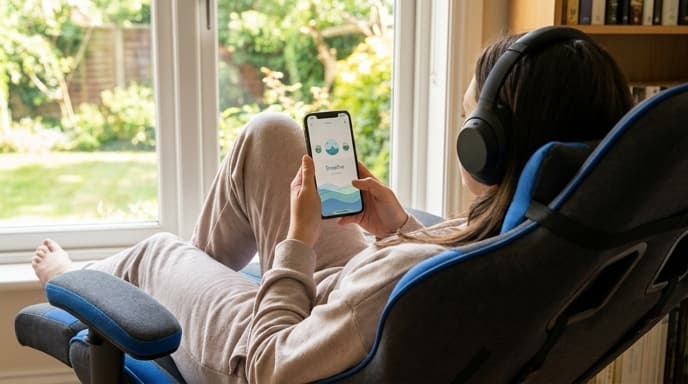
These apps aren't about complex spiritual practices; they're simple toolkits for your brain. They offer short, guided exercises designed to help you calm down, clear your head, and regain focus. A five-minute session between matches can make a huge difference in your mindset and performance.
What Are Guided Meditations?
The core of most mindfulness apps is the guided meditation. This isn't about emptying your mind, but rather gently focusing it. A narrator will guide you through a simple exercise, often asking you to pay attention to your breath or the sensations in your body.
For a gamer, this is like a mental warm-up or cool-down. Instead of carrying the frustration of a loss into the next match, a short meditation can help you let it go. There are many types available:
- Focus Meditations: These exercises train your attention, which can translate directly to better in-game concentration.
- Stress and Anxiety Meditations: These are designed to help calm your nervous system, perfect for dealing with pre-match jitters or post-loss anger.
- Short Meditations: Many apps offer sessions that are just 1, 3, or 5 minutes long, making them easy to fit into a queue time.
Simple and Powerful: Breathing Exercises
If meditation sounds too involved, nearly all mindfulness apps also offer simple breathing exercises. These are incredibly effective for managing stress in the moment. The app will provide a visual guide—like an expanding and contracting circle—to help you time your inhales and exhales.
A common technique is 'box breathing': inhale for four seconds, hold for four, exhale for four, and hold for four. Just a minute or two of controlled breathing can slow your heart rate and help you feel more in control. It's a powerful and discreet tool you can use right at your desk.
Focusing with Soundscapes
Sometimes you just need to block out distractions and find your zone. Mindfulness and wellness apps often include a library of soundscapes. These are high-quality audio tracks of ambient sounds designed to help you focus or relax.
You can find sounds like:
- Rainfall or thunderstorms
- Flowing streams or ocean waves
- White noise or brown noise
- Calm, ambient music
Playing one of these soundscapes through your headphones can be a great way to create a focused environment for a long gaming session or to simply unwind while browsing or waiting for your friends to log on.
FAQ: Getting Started with Mindfulness Apps
Do I have to pay for these apps?
Many popular apps like Calm, Headspace, and Balance operate on a subscription model but offer a selection of free exercises to get you started. There are also completely free options available on the app stores.
Does this actually work?
The goal isn't to achieve a mystical state, but to practice a skill. Like practicing your aim in a game, practicing focus and calm can make you better at deploying those skills when you need them. Many people find it helps them react more thoughtfully instead of emotionally.
Which app is the best?
The best app is the one you'll actually use. Try the free content from a few different ones. You might prefer one narrator's voice or one app's interface over another. The core tools are very similar across all major platforms.
Key Takeaways
- Mindfulness apps are practical tools for managing focus and frustration in gaming.
- Guided meditations, even short ones, can help you reset your mental state between matches.
- Simple breathing exercises are a fast and effective way to calm down when you feel tilted.
- Soundscapes can help you block out distractions and create a more focused gaming environment.
- Most apps offer free introductory content, so you can try them out and see what works for you.
Related Reading
- How to Use Focus Modes to Reduce Distractions on Your Phone
- Ergonomics for Gamers: How to Set Up Your Desk for Comfort
- How to Listen to Podcasts and Audiobooks on Your PlayStation or Xbox