When you're focused on the game, it's easy to forget about your body. You might find yourself leaning forward, slouching, or craning your neck for hours. Over time, this poor posture can lead to chronic pain in your back, neck, and wrists, taking the fun out of your favorite hobby. The solution is to build a more ergonomic setup.
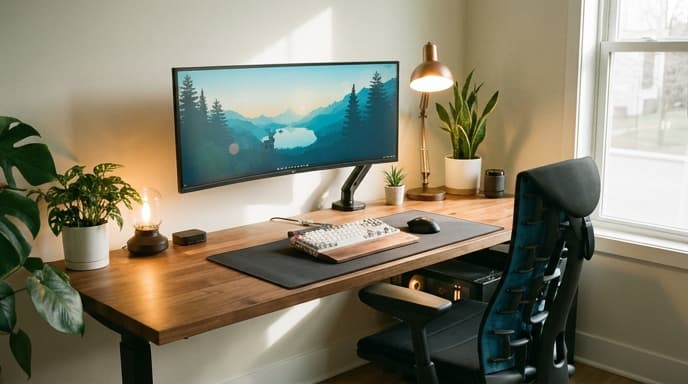
Ergonomics is simply the science of designing your environment to fit you, rather than forcing your body to fit your environment. You don't necessarily need expensive new gear; often, a few simple adjustments to what you already have can make a world of difference. Follow this guide to tune up your gaming station for maximum comfort and support. If you experience persistent pain, please consult a healthcare professional.
Your Foundation: The Chair
Your chair is the most important piece of the ergonomic puzzle. An adjustable office or gaming chair is ideal, but the principles apply to any chair you use. The goal is to support a neutral, relaxed posture.
- Feet Flat on the Floor: Adjust the chair's height so your feet can rest flat on the floor. Your thighs should be roughly parallel to the ground, with your knees at about a 90-degree angle. If your feet dangle, use a footrest or a sturdy box.
- Support Your Lower Back: Sit back fully in your chair so your lower back is supported by the backrest. Most ergonomic chairs have lumbar support. If yours doesn't, a small pillow or a rolled-up towel placed in the curve of your lower back can work wonders.
- Relax Your Arms: Adjust the armrests so your shoulders are relaxed, not hunched. Your elbows should be at a 90-degree angle and close to your body. If your armrests are not adjustable, it might be better to remove them.
Your Focus: The Monitor
Improper monitor placement is a primary cause of neck and shoulder pain. Staring down at a screen that's too low or up at one that's too high forces your neck into an unnatural position.
- Top of Screen at Eye Level: Position your monitor so that the top edge of the screen is at or slightly below your eye level when you are sitting up straight. You should be able to look at the center of the screen by glancing down slightly without bending your neck.
- An Arm's Length Away: Your monitor should be about an arm's length away from you. This helps prevent eye strain. If you find yourself leaning in to read text, increase the font size on your computer instead of moving the screen closer.
- Center It: If you use one primary monitor, place it directly in front of you, centered with your keyboard. If you use two, position them so your primary gaming monitor is centered.
Your Controls: Keyboard and Mouse
Your keyboard and mouse setup is key to preventing wrist and shoulder strain. The goal is to keep everything within easy reach.
- Keep Them Close: Place your keyboard and mouse close enough that you can use them with your elbows bent at that 90-degree angle, near your body. Reaching forward for your mouse can cause shoulder pain.
- Keep Wrists Straight: When typing or using the mouse, try to keep your wrists in a straight, neutral position. Avoid bending them up, down, or to the sides. A wrist rest can help with this, but make sure it supports the palm of your hand, not your wrist itself.
- Take Breaks: No setup is perfect for staying in one position for hours. The best ergonomic advice is to move. Get up, stretch, and walk around for a few minutes at least once an hour.
FAQ: Ergonomic Setups
Do I need an expensive 'gaming chair'?
Not necessarily. A good adjustable office chair often provides better ergonomic support than many flashy gaming chairs. The key is adjustability—in height, armrests, and back support—not the branding.
What if my monitor isn't height-adjustable?
You can easily raise a monitor by placing it on a sturdy stand or a stack of books. The goal is simply to get it to the correct height for your posture.
My wrists hurt after playing. What should I do?
Take more frequent breaks and check your keyboard/mouse positioning. Ensure your wrists are straight and not resting on a hard desk edge. If pain persists, consider an ergonomic mouse or keyboard and consult a doctor.
Key Takeaways
- Adjust your chair so your feet are flat on the floor and your lower back is supported.
- Position your monitor so the top of the screen is at or just below eye level.
- Keep your keyboard and mouse close to your body to avoid reaching and keep your wrists straight.
- Your elbows, hips, and knees should all be at roughly 90-degree angles.
- The most important ergonomic tip is to take regular breaks to stand up and stretch.
Related Reading
- How to Calibrate Your Monitor for Accurate Colors in Games
- How to Set Up a Second Monitor for Your Gaming PC
- What Are Mouse DPI and Polling Rate? A Gamer's Guide