Designing virtual clothing is one of the most popular ways to express your creativity and earn Robux on the platform. While complex layered clothing can be challenging, starting with a classic T-shirt is simple and rewarding. A Roblox T-shirt is essentially a decal that gets applied to the front of a character's torso.
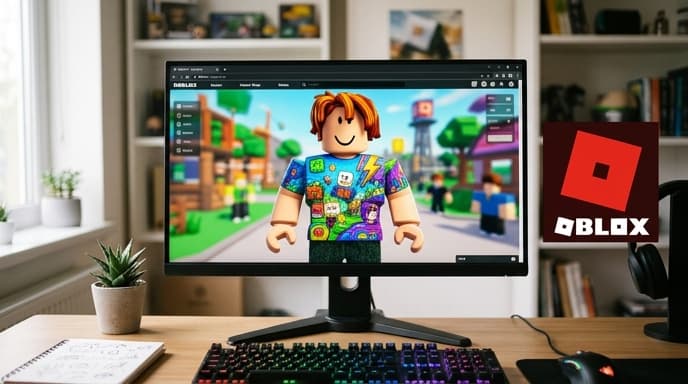
This guide will show you how to make and sell a Roblox T-shirt, from creating your design to listing it on the Avatar Marketplace.
Step 1: Understand T-Shirts vs. Shirts
First, it's important to know the difference between a 'T-Shirt' and a 'Shirt' in Roblox.
- T-Shirt: A simple square image applied to the front of an avatar's torso. It's the easiest to create.
- Shirt: A more complex item that uses a template to wrap around the entire torso and arms of an avatar.
This guide focuses on the T-Shirt, as it's the perfect starting point for new creators.
Step 2: Create Your T-Shirt Image
Your T-shirt design is just a square image file. You can use any image editing software to create it, from professional tools like Photoshop to free options like GIMP or Canva. You can also use AI image generators to create unique graphics.
Follow these guidelines for your image:
- Size: A resolution of 512x512 pixels is standard and works well. The image must be square.
- Format: Save your final design as a .PNG or .JPG file. .PNG is often preferred if you want parts of your design to be transparent.
- Content: Your design must comply with Roblox's Community Standards. Avoid copyrighted material, offensive imagery, or anything inappropriate. Your asset will go through moderation.
Step 3: Upload Your Design to Roblox
Once your image is ready, it's time to upload it. You do this through the Roblox website, not in a game.
- Log in to your Roblox account on the website.
- Click the Create tab at the top of the page.
- You will be taken to the Creator Dashboard. In the left-hand menu, navigate to Avatar Items.
- Make sure you have 'T-Shirts' selected and click the Upload Asset button.
- On the upload page, set the Asset Type to 'T-Shirt'. Click the 'Upload' button to select your image file from your computer.
- Give your T-shirt a creative and descriptive Name and add a Description.
- Click the final Upload button at the bottom.
Step 4: Pay the Fee and Put it On Sale
After you upload, your T-shirt will be in your inventory but not yet for sale. There is an upload fee, paid in Robux, to list an item on the marketplace.
- Find your newly uploaded T-shirt in the Creator Dashboard.
- Click on the item to open its configuration page.
- You'll see an 'On Sale' toggle. When you switch it on, you will be prompted to set a price in Robux.
- Roblox will show you the upload fee required to make the item public. Note: This fee can change. Always check the official Roblox Creator documentation for the current fee.
- After paying the fee, your item will be sent for moderation review. Once approved, it will appear on the Avatar Marketplace for other players to buy.
When someone buys your T-shirt, you receive a percentage of the sale in Robux. Roblox takes a commission, and a portion may be held in escrow for a period of time before it is released to you.
Frequently Asked Questions
Do I need Roblox Premium to sell T-shirts?
While Premium was required in the past, Roblox has updated its policies. Now, any user can upload and sell items by paying the Robux upload fee for each item.
How much Robux will I earn per sale?
You earn a percentage of the sale price. The exact percentage can change, so it's best to consult the official Roblox Creator Hub for the most current information on marketplace fees and creator commissions.
My T-shirt was rejected by moderation. What do I do?
If your asset is rejected, review Roblox's Community Standards to ensure your design doesn't violate any rules. Common reasons for rejection include using copyrighted logos, inappropriate text, or imagery that is too realistic. You will not be refunded the upload fee if your item is rejected.
Key Takeaways
- A Roblox T-Shirt is a simple square image decal for an avatar's torso.
- Create your design as a square image (e.g., 512x512 pixels) and save it as a PNG or JPG.
- Upload your design through the 'Create' tab on the Roblox website.
- You must pay an upload fee in Robux to list your T-shirt for sale on the marketplace.
- You will earn a percentage of the Robux from each sale after Roblox takes its commission.
Related Reading
- How Does Robux Work? A Guide to Roblox's Currency
- What Are Limiteds in Roblox? An Introduction to Virtual Trading