If you're a regular viewer on Twitch, you've probably noticed a small number popping up in the chat box that goes up the longer you watch. These are Channel Points, a customizable points program available on all Partner and Affiliate channels. They are a fun way for creators to reward their loyal viewers with special perks and interactive experiences, all without costing you any real money.
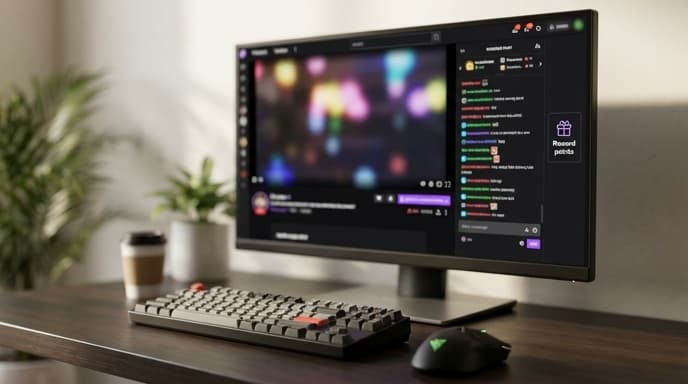
Understanding how to earn and spend these points can make your viewing experience much more engaging. Here’s a quick guide to becoming a Channel Points pro.
How to Earn Channel Points
You earn Channel Points automatically just by being part of a community. The system is designed to reward engagement and consistent viewership.
- Watching a Stream: You receive points periodically for every few minutes you actively watch a stream.
- Claiming Bonuses: Every so often, a bonus button will appear at the bottom of the chat. Clicking it gives you a small bundle of extra points.
- Watch Streaks: If you watch a streamer's next broadcast, you'll get a bonus for maintaining a watch streak.
- Following a Channel: You get a one-time bonus of points for following a new channel.
- Participating in Raids: Joining a raid to another channel also grants you a small number of points.
- Subscribing or Gifting Subs: While not a direct way to earn, subscribers often get a multiplier, earning points at a faster rate than non-subscribers.
How to Spend Your Channel Points
Spending your points is the fun part. To see what rewards a channel offers, click on the Channel Points icon at the bottom of the chat window (it usually looks like a small, colorful token). This will open a menu showing all available rewards and their costs.
Rewards generally fall into two categories:
Default Rewards
Twitch provides a set of standard rewards that streamers can enable. These include:
- Unlock a Random Sub Emote: Get temporary access to one of the channel's subscriber-only emotes.
- Highlight My Message: Make your next chat message stand out with a special background.
- Modify a Single Emote: Submit an emote to be flipped, squashed, or otherwise altered for a short time.
Custom Rewards
This is where things get creative. Streamers can create their own unique rewards. Common examples include:
- Hydrate / Posture Check: Make the streamer take a sip of water or fix their posture.
- Choose the Next Game: Spend a large number of points to influence what the streamer plays next.
- Sound Alerts: Play a specific sound effect on the stream.
- In-Game Actions: Make the streamer drop their weapon, use a specific character, or attempt a difficult challenge in the game they're playing.
To redeem a reward, simply click on it in the menu. If it costs more points than you have, it will be grayed out.
FAQ on Twitch Channel Points
Do my Channel Points expire?
No, your Channel Points for a specific channel do not expire. They are yours until you spend them.
Are my points for one channel usable on another?
No. Channel Points are specific to each individual channel. The points you earn in one stream cannot be used in another.
Do I lose my points if the streamer goes offline?
No, your points balance is saved and will be there the next time the streamer goes live.
Key Takeaways
- Channel Points are a free, virtual currency earned by watching and interacting with Twitch streams.
- You earn points through watching, following, maintaining watch streaks, and participating in raids.
- Click the Channel Points icon in the chat box to see and redeem available rewards.
- Rewards can range from unlocking emotes to unique, custom interactions created by the streamer.
- Points are channel-specific and do not expire.
Related Reading
- How to Check Your Twitch Subscription Costs and Manage Renewals
- How to Customize Subtitles on Major Streaming Platforms