You add a show to your list on Netflix, a movie on Disney+, and another on Max. When it's finally time to watch something, you can't remember what you wanted to watch or where to find it. This endless app-hopping is a common frustration of modern streaming.
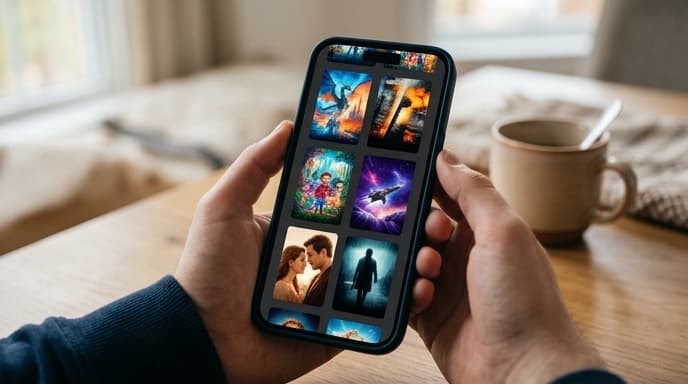
The solution is a universal watchlist, also known as a streaming guide or watchlist aggregator. These tools let you manage your watchlist from every service in a single, clean interface, saving you time and frustration.
What is a Universal Watchlist App?
A universal watchlist app is a central hub for all the movies and TV shows you want to watch. Instead of maintaining separate lists inside each streaming service, you maintain one master list in the aggregator app.
These apps track which services host which titles. When you want to watch something from your list, the app tells you exactly where it's available to stream, rent, or buy. Many will even show you if a movie has recently been added to a service you subscribe to.
How to Get Started
Setting up a universal watchlist is a simple process that takes just a few minutes. Here’s how it generally works:
- Choose an App: There are several popular options available on app stores for both mobile and smart TVs. Search for 'universal watchlist' or 'streaming guide' to see the top-rated choices.
- Select Your Services: During setup, the app will ask you to select all the streaming services you subscribe to. Be thorough—include everything from major platforms to smaller, free services.
- Start Building Your List: Search for any movie or show you're interested in and add it to your list with a single tap. The app will now track it for you.
- Browse and Discover: Most of these apps also have powerful discovery features, showing you what's new, popular, or trending across all your platforms at once.
Key Features to Look For
While most streaming guides offer the same core function, some features can make a big difference in your experience. Look for these when choosing an app:
- Comprehensive Library: Make sure the app tracks a wide range of services, including those you use most.
- Real-Time Updates: Content moves between services all the time. A good aggregator updates its listings daily.
- Personalized Recommendations: Some apps learn your tastes and suggest new titles based on what you've watched and rated.
- Price Comparison: For titles that aren't on your subscription services, many apps will show you the rental or purchase price across different stores like Apple TV, Google Play, and Amazon.
Frequently Asked Questions
Do these apps cost money?
Most universal watchlist apps are free to use, supported by ads. Some offer a premium subscription to remove ads or unlock advanced features, but the core functionality is typically available for free.
Is my data safe with these apps?
These apps generally don't require you to log in with your streaming service credentials. You simply tell the app which services you subscribe to. As always, review the privacy policy of any app you install.
Can I import my existing watchlists?
This feature is less common, but some services offer ways to sync or import your lists from popular platforms like IMDb or Netflix. You may need to build your initial list manually.
Key Takeaways
- A universal watchlist app consolidates titles from all your streaming services into one list.
- These apps tell you exactly where a movie or show is available to stream.
- Setup involves selecting the services you subscribe to and then adding titles to your master list.
- Look for features like real-time updates and personalized recommendations.
- Most of these apps are free and don't require your streaming service passwords.
Related Reading
- How to Audit Your Streaming Subscriptions and Save Money
- How to Customize Subtitles on Netflix, Disney+, and More