Sometimes you want to tune out a game's soundtrack and tune into a great story or conversation. Both PlayStation and Xbox consoles make it easy to play your own audio in the background, whether it's music, a podcast, or an audiobook, without interrupting your gameplay.
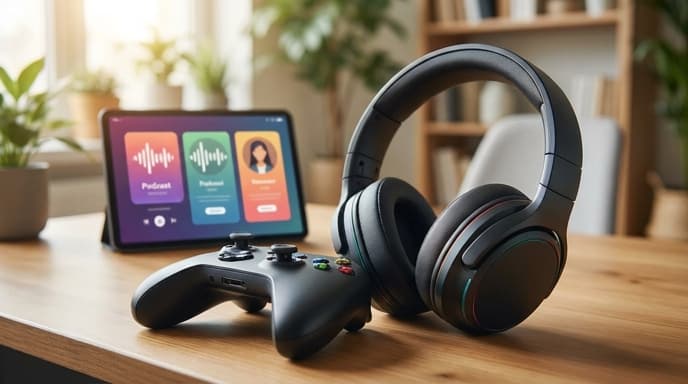
The easiest method uses a dedicated app, but your console's web browser is a surprisingly effective backup for services that don't have one.
The Easiest Way: Use the Spotify App
Spotify is available as a free app on both the PlayStation Store and the Microsoft Store for Xbox. Since Spotify hosts a massive library of podcasts in addition to music, it's the most straightforward solution.
- Download Spotify: Search for and install the Spotify app from your console's store.
- Log In: Open the app and log in to your Spotify account. You can use a free or premium account.
- Start Playing: Find the podcast or playlist you want to listen to and start playing it.
- Launch Your Game: Return to your console's home screen and launch any game. The audio from Spotify will continue to play in the background.
You can control the audio through your console's quick menu (pressing the PS button or Xbox button). This lets you pause, skip, and, most importantly, adjust the volume balance between the game audio and your podcast.
The Alternative: Use the Web Browser
What if your favorite podcast or audiobook service isn't on Spotify? You can often use your console's built-in web browser to play audio directly from the source.
- Open the Browser: Find the web browser on your console. On PlayStation, it's in the Game Library. On Xbox, it's Microsoft Edge.
- Navigate to the Website: Go to the website of your podcast provider or audiobook service (like Audible's web player, for example).
- Play Your Audio: Log in if necessary and start playing the audio.
- Return to Your Game: In many cases, the audio will continue to play after you switch back to your game.
This method can be less reliable than a dedicated app, as not all web players support background audio, but it's a great option to try for services that lack a console app.
Frequently Asked Questions
How do I adjust the volume mix between the game and the podcast?
On both PlayStation and Xbox, pressing the central button on your controller brings up a quick menu. Look for a music or media card. This will have a slider that lets you balance the audio, making the game louder or the podcast louder until you find the perfect mix.
Will this slow down my game?
No. Modern consoles are designed for multitasking, and playing background audio uses a negligible amount of system resources. It should have no noticeable impact on your game's performance.
Can I use other music apps?
Yes, other apps like Apple Music (available on both consoles) also support background playback. The process is the same: start the music, then launch your game.
Key Takeaways
- The Spotify app is the simplest way to listen to a wide range of podcasts on both PlayStation and Xbox.
- Spotify allows you to control playback and volume balance from the console's quick menu without leaving your game.
- For services without a dedicated app, try using the console's built-in web browser to play audio from the service's website.
- Playing background audio does not typically affect your game's performance.
- You can easily adjust the volume balance between your game and your chosen audio source.
Related Reading
- Is YouTube Premium Worth It for Gamers?
- How to Check Your Twitch Subscription Costs and Manage Renewals