The night sky is a vast and beautiful place, but for a beginner, it can also be a confusing jumble of bright dots. You might be able to spot the Big Dipper, but what about the planets, distant galaxies, or the satellites silently gliding overhead? You already have the perfect tool to decode it all: your smartphone.
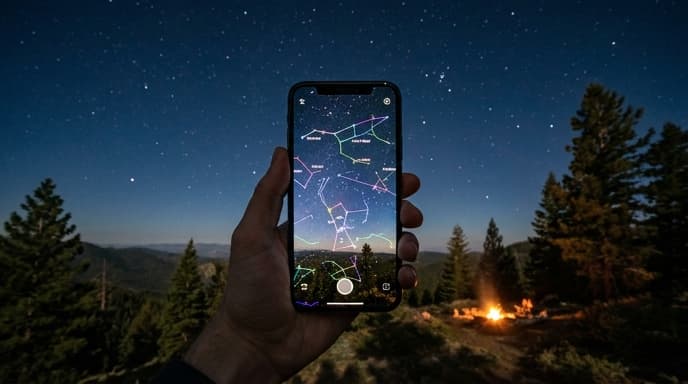
Stargazing apps transform your phone into an interactive planetarium. By using your device's built-in sensors, they can identify exactly what you're pointing at, making astronomy accessible to everyone. Here’s how to get started.
How Do Stargazing Apps Work?
These apps combine three pieces of technology already in your phone:
- GPS: To know your precise location on Earth.
- Compass (Magnetometer): To know which direction you are facing.
- Gyroscope/Accelerometer: To know the angle at which you are holding the phone.
By combining this data with a detailed star chart, the app can create an accurate, real-time map of the sky from your exact perspective. The most magical feature is often the Augmented Reality (AR) view, which overlays the star map directly onto your camera's view of the sky.
Your First Time Using a Stargazing App
Getting started is incredibly easy. While there are many apps available, they all share a similar setup process.
- Download an App: Go to your phone's app store and search for 'stargazing' or 'star map'. Popular and reliable options for beginners include SkyView Lite, Star Walk, and Stellarium Mobile. Many have excellent free versions.
- Grant Permissions: When you first open the app, it will ask for permission to access your location and sometimes your camera (for the AR view). You must grant these for the app to work correctly.
- Calibrate Your Compass: The app may ask you to calibrate your phone's compass by moving it in a figure-eight pattern. This ensures it's pointing in the right direction. If your view seems off, you can usually recalibrate from the app's settings menu.
- Point It at the Sky: That's it! Just hold your phone up to the sky. As you move it around, the map on the screen will move with you, showing the names of the stars, planets, and constellations you're aimed at.
What Can You Find With These Apps?
Once you're set up, you can start exploring. Here are a few things to look for:
- Constellations: The app will draw the lines and often the artwork for constellations, making them much easier to recognize than just looking at the stars alone.
- Planets: See that really bright 'star' that isn't twinkling? It's probably a planet. Point your phone at it to identify if it's Venus, Jupiter, Mars, or Saturn.
- Satellites: Many apps can track major satellites, including the International Space Station (ISS). They can even notify you a few minutes before the ISS is scheduled to pass over your location.
- Nebulae and Galaxies: While you won't be able to see most of these with your naked eye, the app will show you where to point binoculars or a telescope to find famous deep-sky objects like the Orion Nebula or the Andromeda Galaxy.
Frequently Asked Questions
Do I need an internet connection to use these apps?
You need a connection to download the app and for the initial setup to get your location and the latest satellite data. However, the core star map functionality of most apps works completely offline, making them perfect for camping trips or areas with poor cell service.
Why isn't the map on my screen lining up with the sky?
This is almost always a compass calibration issue. Metal objects nearby, like a car or a belt buckle, can interfere with the compass. Move to a different spot and look for a 'calibrate' option in the app's settings.
What's the red screen mode for?
Many stargazing apps have a 'night mode' that turns the interface red. This is to help preserve your night vision. It takes your eyes about 20-30 minutes to fully adapt to the dark, and a bright white screen can ruin it in an instant. Red light has a much lower impact.
Key Takeaways
- Stargazing apps use your phone's GPS, compass, and other sensors to create a real-time map of the sky.
- To get started, download an app, grant it location permissions, and calibrate your compass.
- Point your phone at the sky to identify stars, planets, constellations, and even satellites like the ISS.
- Use the red 'night mode' feature to protect your eyes' dark adaptation.
- Most core features work offline, so you don't need a constant internet connection.
Related Reading
- How to Take Your First Night Sky Photo With Your Phone
- What's the Difference Between a Telescope and Binoculars for Stargazing?
- How to Read and Understand Digital Store Refund Policies